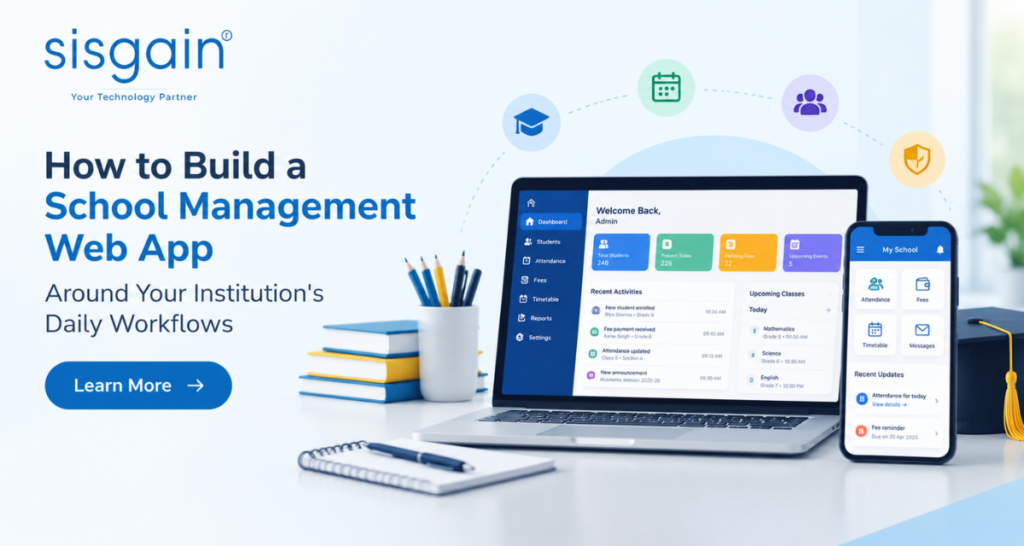
Schools manage numerous daily activities, including student admissions, attendance, fee collection, academic scheduling, and parent communication. When these processes depend on manual records or disconnected tools, administrative work becomes time-consuming, and important information can be difficult to access.
A well-designed school management web application brings essential activities together in one centralized platform. However, successful development requires understanding how an institution operates and identifying the features that genuinely improve its workflows.
A school management web app builder can help schools develop a solution tailored to their administrative requirements, academic procedures, and long-term goals.
Key Takeaways
- Map existing workflows before selecting application features.
- Prioritize attendance, student records, fee management, and communication.
- Choose a flexible platform that supports integration and future growth.
- Protect sensitive information through appropriate security controls.
- Test the application with real users and improve it using feedback.
Identify Your Institution’s Daily Workflows
Before development begins, schools should document how their daily activities are performed. Each institution has different administrative procedures, approval processes, and communication requirements. Understanding these differences helps prevent unnecessary features and complicated workflows.
Start by reviewing the responsibilities of administrators, teachers, accountants, parents, and students. Identify repetitive tasks, communication gaps, and processes that require duplicate data entry.
For example, student enrollment may involve collecting documents, verifying information, assigning classes, and recording fees. Mapping these steps helps developers determine how information should move through the application.
Schools should focus on:
- Identifying repetitive tasks suitable for automation.
- Documenting existing approval procedures.
- Recognizing delays and inconsistencies in record management.
- Gathering feedback from staff who perform these tasks daily.
This assessment creates a practical development plan based on genuine institutional needs.
Define the Essential Features of Your School Management Web App

After documenting workflows, determine which features will provide the greatest operational benefits. Schools should prioritize essential functions before investing in additional capabilities.
Student Information and Enrollment Management
A centralized student information system stores admission details, contact information, academic histories, and supporting documents. Authorized staff can retrieve records quickly without searching through spreadsheets or physical files.
Enrollment features may include application tracking, document verification, admission approvals, and class allocation.
Attendance Tracking and Academic Records
Digital attendance tools allow teachers to record attendance and help administrators monitor attendance patterns. Depending on requirements, the system may support subject-wise attendance and notifications for parents.
Academic record management can organize examination results, grades, report cards, and student progress reports.
Fee Management and Financial Reporting
Fee management features track payment schedules, outstanding balances, receipts, and transaction histories. Automated reminders help parents manage deadlines, while financial reports support administrative planning.
Integration with a suitable payment gateway can also enable online fee payments.
Timetable Planning and Parent Communication
Scheduling tools help coordinate classes, teacher availability, classrooms, examinations, and school events. Communication features can distribute announcements, attendance alerts, academic updates, and meeting schedules through a centralized system.
Together, these capabilities reduce administrative effort and improve access to essential information.
Choose the Right School Management Web App Builder
The development approach influences usability, maintenance, and future scalability. Some institutions may prefer configurable platforms, while others require custom web application development to support specialized procedures.
When evaluating a school management web app builder, consider the following factors:
- Customization: Can forms, workflows, permissions, and reports match institutional requirements?
- Usability: Can teachers, parents, and administrators navigate the application easily?
- Integration: Can it connect with accounting software, learning platforms, and payment systems?
- Scalability: Can it accommodate additional students, campuses, and features?
- Maintenance: Are updates, technical support, backups, and troubleshooting manageable?
- Cost: Does the overall investment fit the school’s budget and long-term plans?
Schools should also assess browser compatibility and mobile accessibility. Comparing these factors before development helps prevent expensive modifications later.
Design a User-Friendly Experience for Every User
A school management application serves users with different responsibilities and technical abilities. Its interface should make everyday tasks simple without overwhelming people with unnecessary options.
Role-specific dashboards can display relevant information. Administrators may need enrollment summaries and financial reports, while teachers require attendance tools, class schedules, and grade entry. Parents generally need access to attendance records, academic progress, announcements, and fee information.
An effective interface should provide:
- Clear navigation and consistent layouts.
- Simple forms with understandable instructions.
- Mobile-friendly screens for smartphone users.
- Readable text and accessible design elements.
- Helpful notifications for important activities.
Testing the interface with actual users can reveal confusing steps early. Addressing these issues before launch improves adoption and reduces training requirements.
Integrate Existing Systems and Automate Routine Tasks
Schools may already use accounting software, learning management systems, communication platforms, or digital payment services. Connecting compatible tools can reduce duplicate data entry and improve information consistency.
Application programming interfaces (APIs) allow systems to exchange information. For example, payment integration may update fee records after a successful transaction, while learning platform integration can simplify access to educational resources.
Automation can also handle repetitive tasks, including fee reminders, absence notifications, attendance summaries, and scheduled announcements.
However, automated processes should follow clearly defined rules. Financial adjustments and sensitive record changes may require human approval. Schools should establish procedures for handling failed integrations, duplicate records, and inaccurate information.
Prioritize Data Security and Student Privacy
School applications contain sensitive information, including student identities, contact details, academic records, and financial data. Protecting this information should be a priority throughout development.
Role-based access control ensures users can access only the information necessary for their responsibilities. Strong authentication, encrypted data transmission, secure backups, and regular software updates provide additional protection.
Endpoint security services can help protect school computers and other devices used to access the application. This is particularly important when staff work remotely or access systems across multiple locations.
A cyber security assessment helps identify weaknesses in application architecture, access permissions, integrations, and the deployment environment. Schools should address identified vulnerabilities before launch and conduct periodic reviews afterward.
Institutions must also consider applicable IT security and compliance requirements when collecting, storing, accessing, and sharing student information. Relevant obligations depend on the school’s location and circumstances.
Regular access reviews, staff awareness training, incident response procedures, and ongoing monitoring help maintain security as the platform evolves.
Test the Application Against Real School Workflows
Before deployment, test the application using realistic scenarios from everyday school operations. A platform may perform well during demonstrations but encounter problems when multiple departments use it simultaneously.
Testing should cover functionality, usability, performance, permissions, and security.
For example, verify that new student admissions follow the correct process, attendance corrections are recorded accurately, and successful payments appear in financial records. Also test incomplete forms, duplicate student records, failed payments, and password recovery.
Invite administrators, teachers, and parents to participate in user acceptance testing. Their feedback can reveal missing features and confusing processes.
Resolve critical problems before introducing the system across the institution.
Train Staff and Introduce the System Gradually
Even a well-designed application can struggle if users do not understand how to operate it. Provide practical training based on individual responsibilities.
Administrators may need guidance on permissions and reports, while teachers require demonstrations of attendance and academic record management. Parents should receive clear instructions for accessing student updates and available payment features.
A phased rollout can simplify adoption:
- Launch a pilot with one department, grade, or campus.
- Collect feedback and identify common difficulties.
- Correct issues and improve training materials.
- Expand access gradually across the institution.
- Provide continued support after launch.
Clear communication about the benefits and changes associated with the new system helps users transition from existing processes.
Monitor Performance and Improve the Platform
Launching the application is only the beginning. School requirements evolve, users identify improvement opportunities, and technology needs ongoing maintenance.
Monitor indicators such as administrative processing time, attendance accuracy, user adoption, support requests, and incomplete transactions. These measurements help determine whether the application is delivering practical benefits.
Collect feedback regularly and investigate why staff continue using separate spreadsheets for tasks that the platform should support. The issue may involve missing functionality, unclear instructions, or inefficient workflows.
As the institution grows, additional integrations, reporting capabilities, accessibility improvements, and security updates may become necessary. Regular reviews help schools prioritize improvements without disrupting essential operations.

Conclusion
Building a school management web application around daily workflows begins with understanding how an institution operates. Careful planning helps schools select relevant features, simplify administrative activities, improve communication, and maintain accurate records.
The right school management web app builder should support customization, usability, integration, and future growth. Security, testing, staff training, and continuous improvement are equally important for long-term success.
By aligning technology with real operational needs, schools can create an organized digital environment that supports administrators, teachers, parents, and students.
Frequently Asked Questions
1. What is a school management web app builder?
It is a platform or development approach used to create web-based applications for managing school activities such as student records, attendance, fees, scheduling, and communication.
2. Which features should a school management web app include?
Common features include student information management, attendance tracking, academic records, fee management, scheduling, parent communication, and reporting. The final selection depends on institutional needs.
3. How can a school management web app be customized?
Schools can document their existing processes and configure forms, approval steps, notifications, reports, and user permissions to match their daily workflows.
4. How can schools protect student information?
Schools should implement access controls, authentication, encryption, secure backups, regular security assessments, device protection, and appropriate data-handling policies.
5. How long does it take to build a school management web app?
The timeline depends on feature complexity, integration requirements, security needs, and available resources. A basic application generally requires less development effort than a comprehensive, multi-campus platform.