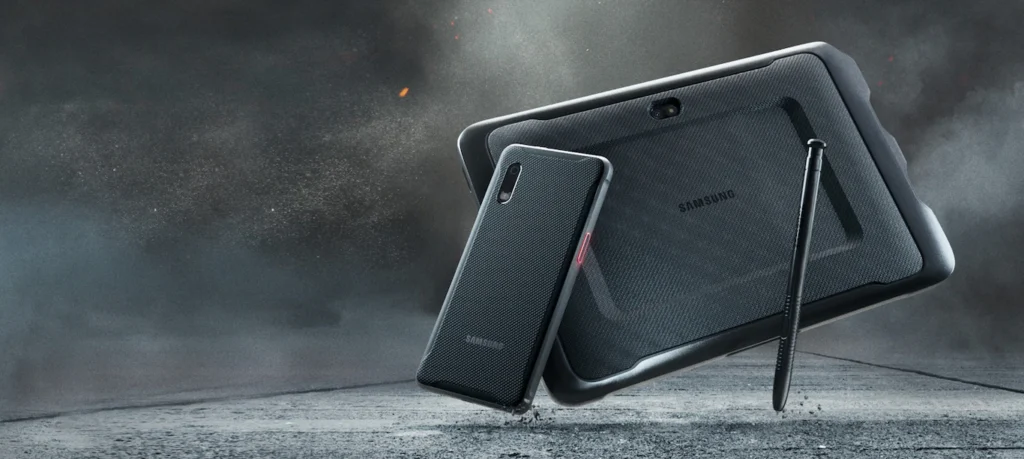
Modern businesses rely on technology to manage information, improve communication, and complete daily tasks efficiently. However, working in construction sites, warehouses, factories, and outdoor locations can expose electronic devices to dust, moisture, vibration, and accidental drops. A Ruggedized tablet offers a practical solution for professionals who need portable computing with additional protection for challenging working conditions.
Unlike ordinary consumer tablets, ruggedized devices are designed for professional environments where durability and reliability are important. They allow employees to access business applications, record information, and communicate with their teams while working away from a traditional office.
What Is a Ruggedized Tablet?
A ruggedized tablet is a portable touchscreen computer designed to withstand tougher conditions than many standard tablets. Depending on the model, it may feature a reinforced casing, a protected display, sealed ports, and resistance to dust, water, vibration, or accidental impacts.
These tablets are available with different operating systems, including Windows and Android. This flexibility allows businesses to choose a device that supports their existing software and operational requirements.
Many models also support accessories such as detachable keyboards, styluses, docking stations, barcode scanners, and vehicle mounts. These options make ruggedized tablets useful across a wide range of professional applications.
Why Do Businesses Need a Ruggedized Tablet?
Enhanced Durability
Durability is one of the main reasons businesses invest in ruggedized computing devices. Employees working in industrial facilities or outdoor environments may experience conditions that are unsuitable for standard electronic equipment.
A ruggedized tablet can provide additional protection against specific workplace hazards, helping reduce interruptions caused by accidental damage. However, protection varies by model, so it is important to review the manufacturer’s specifications before making a decision.
Improved Mobility
A tablet is easy to carry between workstations, vehicles, and job sites. Employees can access important information without carrying a traditional laptop or returning to a desk.
Touchscreen controls make it convenient to update records, complete digital forms, review documents, and capture information while moving around a workplace.
Better Access to Business Information
Ruggedized tablets can support applications for inventory management, maintenance, inspections, digital mapping, and field service operations.
With suitable software and connectivity, employees can update information directly from the worksite. This can reduce paperwork, improve communication, and help teams access current records when they need them.
Important Features to Consider Before Buying
Protection Ratings and Build Quality
Before purchasing a device, consider the conditions in which it will operate. Check its IP rating to understand its resistance to dust and water, along with any relevant environmental testing certifications.
Some ruggedized tablets are tested against MIL-STD-810 requirements for particular environmental conditions. These ratings do not make a device indestructible, so review the manufacturer’s documented testing and operating limits.
Battery Life
Battery performance is important for employees who spend long hours away from charging facilities. Choose a tablet that can support your team’s typical work schedule.
For extended field operations, replaceable batteries, additional battery options, or vehicle charging accessories may be worth considering if the selected model supports them.
Screen Visibility and Touchscreen Performance
A clear display helps employees read information in different lighting conditions. Outdoor workers may benefit from a screen with high brightness and anti-reflective properties.
If staff members wear gloves, check whether the touchscreen supports glove operation. A compatible stylus can also be helpful for completing forms, taking notes, or annotating technical drawings.
Connectivity Options
Reliable connectivity allows employees to access cloud-based systems and share information with colleagues. Depending on the model, useful features may include Wi-Fi, Bluetooth, GPS, mobile broadband, USB ports, and docking connections.
Before purchasing, confirm that the tablet works with your business applications, wireless networks, scanners, printers, and other essential equipment.
Common Uses of Ruggedized Tablets
Construction and Engineering
Construction teams can use ruggedized tablets to view digital blueprints, review project documents, record site inspections, and share updates with office staff. Having access to digital information on-site can help improve coordination and reduce reliance on printed paperwork.
Warehousing and Logistics
Warehouse employees can use these devices for stocktaking, order processing, barcode scanning, and delivery documentation. When paired with compatible software, they can help streamline inventory management and daily workflows.
Manufacturing and Industrial Operations
Manufacturing facilities may use ruggedized tablets to access equipment manuals, review maintenance instructions, and record production information. Their portable design allows employees to retrieve important data close to the equipment they are working on.
Field Services and Utilities
Field technicians can use ruggedized tablets to review service histories, document repairs, complete work orders, and communicate with colleagues. Models with suitable GPS and mobile connectivity features can also support workers operating across large or remote areas.
Ruggedized Tablet vs Standard Tablet
A standard tablet is often suitable for browsing, entertainment, and everyday office tasks. A ruggedized tablet is better suited to workplaces where additional protection and specialised functionality are required.
Ruggedized models may offer reinforced construction, specialised mounting options, additional connectivity features, and compatibility with industrial accessories. However, they can be heavier and more expensive than consumer devices.
When comparing options, consider the initial price, expected service life, maintenance requirements, and potential cost of downtime. The right device should match the demands of your workplace without exceeding your budget.
How to Choose the Right Ruggedized Tablet
Start by identifying the applications your employees need and the environmental conditions they face. Compare operating systems, processor performance, memory, storage, battery life, display quality, and protection ratings.
Also consider warranty coverage, technical support, replacement parts, and compatible accessories. Businesses researching professional rugged computing solutions can compare devices from established manufacturers such as Panasonic and Getac.
Review each model’s specifications carefully to ensure that the device meets your operational needs.
Conclusion
A ruggedized tablet can help businesses improve mobility, access important information, and maintain productivity in challenging work environments. From construction and logistics to manufacturing and field services, these devices offer practical features for professional use.
By comparing durability, performance, battery life, connectivity, and software compatibility, you can select a ruggedized tablet that supports your team’s daily activities and long-term business goals.