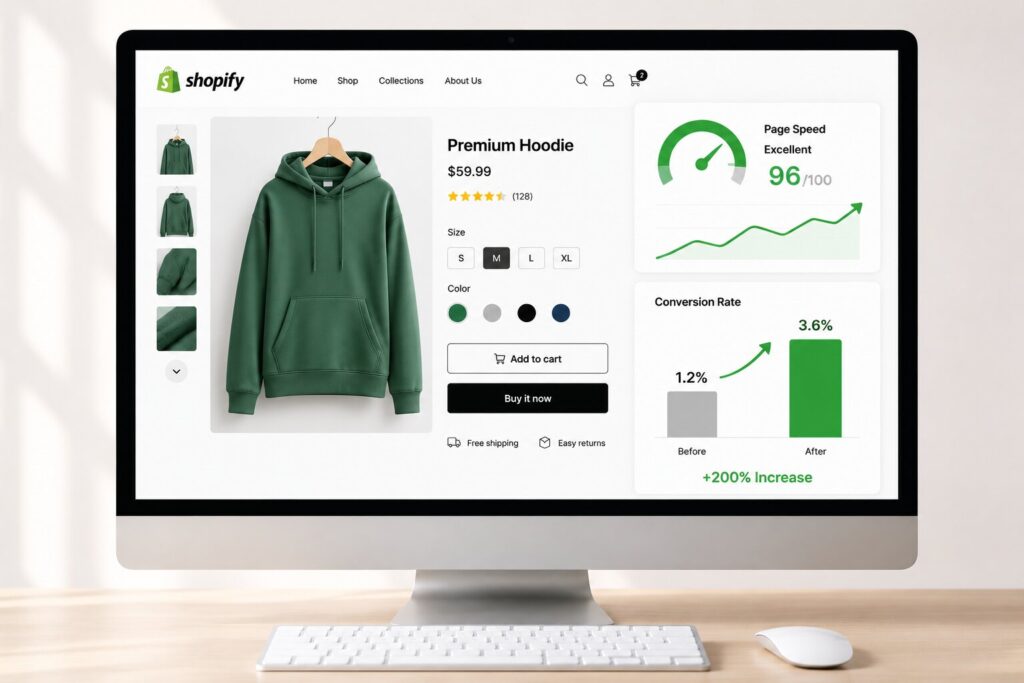
A shopper lands on a Shopify product page, waits a few seconds for it to load, and leaves before ever seeing the “Add to Cart” button. That single moment, repeated thousands of times a day across thousands of stores, is the real reason so many merchants struggle to grow revenue despite healthy ad spend.
The fastest way to boost Shopify website speed is also one of the most overlooked levers in ecommerce, sitting quietly behind every metric a store owner actually cares about: bounce rate, cart abandonment, checkout completion, and ultimately, sales. This article breaks down exactly how loading speed shapes buyer behavior at every stage of the funnel, from the first click on a landing page to the final tap on “Pay Now,” and what merchants can do about it.
Why Speed Is the Hidden Variable Behind Shopify Conversion Rates
Most Shopify merchants chase conversion improvements through pricing tweaks, new themes, or better product photography. Those things matter, but they rarely move the needle if the underlying site is sluggish. Speed acts as a gatekeeper: no matter how compelling the offer, a slow page never gives shoppers the chance to see it.
Shopify stores that load in under two seconds convert roughly two to three times better than stores taking five seconds or longer. Every additional second of load time can drop conversions by 7 to 12 percent. That is not a rounding error; for a store doing $50,000 a month, a one-second delay could realistically be costing several thousand dollars in lost sales every single month.
The Landing Page Is Where the Battle Is Won or Lost
A landing page has one job: convince a visitor to take the next step, whether that is browsing a collection or clicking into a product. If that page takes more than three seconds to load, a large share of visitors simply leave. Mobile users are especially impatient, and since mobile traffic now makes up the majority of Shopify sessions, this is where most lost revenue actually happens.
Heavy hero images, auto-playing video banners, and bloated third-party apps are the usual culprits. A landing page stuffed with marketing pixels, chat widgets, and review plugins might look impressive in a meeting, but every one of those scripts adds to the time it takes for the page to become usable. The fix is not necessarily removing every tool, but auditing which ones are render-blocking resources and deferring or asynchronously loading anything that is not essential to the first impression.
Core Web Vitals: The Technical Backbone of Shopify Speed
Google measures page experience through three Core Web Vitals: Largest Contentful Paint (LCP), Interaction to Next Paint (INP), and Cumulative Layout Shift (CLS). These metrics matter for two separate reasons, and Shopify merchants need to understand both.
First, they can influence search visibility. Core Web Vitals remain an important part of Google’s broader page experience signals, helping search engines better understand how users experience a page. That means slow pages do not just risk losing visitors after they arrive; they may also struggle to compete as effectively against faster alternatives offering a better user experience.
Second, and just as important, these metrics correlate directly with buyer psychology. A slow LCP means the main product image or headline takes too long to appear, so shoppers question whether the page is even working. A high CLS means buttons and text jump around as the page loads, which creates a feeling of clumsiness that erodes trust in seconds. A sluggish INP means clicking “Add to Cart” feels delayed or unresponsive, which is often the exact moment a shopper decides to abandon.
How Indexing and Crawlability Tie Into Speed
Site speed can also influence how efficiently search engines crawl and process a Shopify store. On larger ecommerce sites with hundreds or thousands of products, slow-loading pages may make crawling less efficient and can delay how quickly newly updated content is discovered. For merchants regularly launching seasonal collections or updating inventory, faster pages help ensure important content is available to both shoppers and search engines sooner.
Product Pages: Where Speed Meets Purchase Intent
Product pages sit closest to the actual buying decision, which makes their performance disproportionately important. A one-second improvement on product page load time has been shown to drive 15 to 25 percent more add-to-cart actions. This is the page where shoppers are comparing images, reading descriptions, and checking reviews, so any lag while zooming into a product photo or loading a size chart creates friction at the exact moment momentum matters most.
To improve website speed on product pages, it’s important to address the common factors that frequently slow them down: oversized images served at full resolution instead of responsive sizes, too many simultaneous app scripts firing on page load, and render-blocking CSS or JavaScript that delays the moment a shopper can actually interact with the page.
Lazy loading images below the fold, deferring non-critical scripts, and enabling continuous performance monitoring all help keep these pages fast as new apps and content get added over time.
Cart and Checkout: The Final, Fragile Stretch
The average cart abandonment rate across e-commerce sits above 70 percent, and while pricing surprises and forced account creation are well-known culprits, slow checkout pages quietly contribute to a meaningful share of that number. Shoppers who have already decided to buy are the easiest to lose here, because they are one frustrating delay away from simply closing the tab.
Shopify manages the core checkout infrastructure itself, so merchants cannot directly optimize that final page the way they can a landing page or product page. What merchants can control is everything leading up to it: making sure the cart drawer opens instantly, that quantity updates reflect without delay, and that the path toward checkout has no unnecessary redirects or slow-loading upsell popups. A faster path to checkout means more shoppers actually arrive there with their decision intact.
Speed, Rich Snippets, and the Search Visibility Connection
There is a secondary, often overlooked benefit to a fast Shopify store: it supports better visibility in search results through structured data and rich snippets. Product schema that includes pricing, availability, and review ratings can earn rich snippets in search results, and those enhanced listings tend to pull a noticeably higher click-through rate (CTR) than plain blue links.
But structured data only helps if Google can actually crawl and render the page efficiently enough to validate it. A slow, bloated page makes that harder, indirectly suppressing the very visibility gains a merchant is trying to earn.
This is also increasingly relevant for AI-driven search summaries, which tend to pull from pages that load cleanly and serve well-structured, easily parsed content. Speed and structured data work together here rather than separately.
A Practical Path to Faster Pages and Higher Conversions
Improving site speed does not require a full rebuild. Most Shopify stores see meaningful gains by addressing a short list of recurring issues: compressing and resizing images, auditing installed apps for unnecessary scripts, deferring non-critical JavaScript, enabling lazy loading for below-the-fold content, and monitoring Core Web Vitals on an ongoing basis rather than checking once and forgetting about it.
Frequently Asked Questions
Does Shopify website speed really affect sales, or is it overstated?
It is not overstated. Stores loading under two seconds consistently convert two to three times better than slower stores, and the effect compounds across every funnel stage, from landing page to checkout.
What is a good page load time for a Shopify store?
Most benchmarks point to under two seconds for product and collection pages. Anything past three seconds starts to noticeably increase bounce rates, especially on mobile.
Which Shopify pages matter most for speed optimization?
Product pages tend to deliver the biggest conversion lift since they sit closest to the purchase decision, followed by collection pages and the homepage.
Can Shopify checkout itself be sped up by merchants?
Not directly, since Shopify controls that infrastructure. Merchants can still speed up everything leading up to checkout, which increases the number of shoppers who actually reach it.
Do apps and third-party scripts really slow down a Shopify store that much?
Often, yes. Stacked apps, tracking pixels, and chat widgets are among the most common sources of render-blocking resources that quietly drag down load times.