Building a Safer Backup Strategy for Long-Term Business Resilience
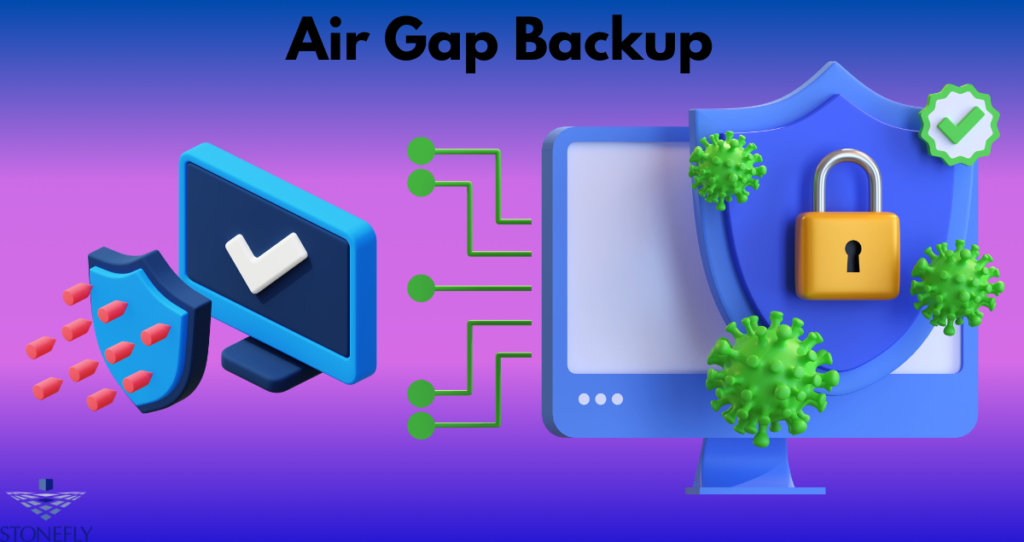
Protecting business information has become more challenging as organizations generate larger volumes of data and face increasingly sophisticated cyber threats. Air Gap Backups provide an additional layer of protection that helps organizations improve recovery readiness while reducing the risk of backup data being compromised during security incidents. A strong backup strategy is no longer just about creating copies of files—it is about ensuring those copies remain available, secure, and recoverable whenever they are needed.
Why Businesses Need a Modern Backup Strategy
Every organization depends on reliable access to digital information. Customer records, financial documents, project files, and operational systems all contribute to daily business activities. Losing access to this information can lead to financial losses, operational downtime, and reputational damage.
Some of the most common causes of data loss include:
- Ransomware attacks
- Hardware failures
- Human error
- Software corruption
- Natural disasters
- Power outages
- Insider threats
A well-designed backup strategy prepares organizations to recover from these situations quickly and efficiently.
The Importance of Multiple Recovery Layers
Relying on a single backup copy creates unnecessary risk. If one storage location becomes unavailable, recovery may not be possible.
A resilient backup plan should include several layers of protection, such as:
- Primary backup storage
- Secondary backup copy
- Long-term archive
- Offsite retention
- Recovery verification
Each layer strengthens the organization’s ability to restore critical information after unexpected events.
Why Redundancy Matters
Redundancy ensures that multiple copies of important data remain available even if one system fails. This approach minimizes the impact of equipment failures and cyber incidents while increasing overall recovery confidence.
Developing an Effective Backup Policy
Every organization should establish clear backup policies that define how information is protected and managed.
Identify Critical Workloads
Not all data has the same value. Businesses should prioritize workloads such as:
- Customer databases
- Financial systems
- Email platforms
- Business applications
- Legal documentation
Critical systems often require more frequent backups and faster recovery objectives.
Establish Backup Frequency
Backup schedules should match business requirements.
For example:
- Financial databases every hour
- Operational systems multiple times daily
- Employee documents daily
- Archived records weekly
Consistent scheduling helps minimize potential data loss.
Protecting Backup Infrastructure
Backup environments require strong security controls to prevent unauthorized access and accidental modification.
Access Management
Only authorized administrators should manage backup systems. Role-based permissions reduce unnecessary exposure.
Encryption
Encryption protects sensitive information while it is stored and during transmission between systems.
Monitoring and Alerts
Continuous monitoring helps identify:
- Failed backup jobs
- Unauthorized login attempts
- Unexpected data deletion
- Configuration changes
- Storage capacity issues
Early detection allows organizations to respond before small problems become serious incidents.
Improving Recovery Readiness
A successful backup strategy focuses on restoring operations quickly rather than simply storing copies of information.
Organizations should define:
Recovery Time Objectives
This determines how quickly systems should be restored after an outage.
Recovery Point Objectives
This defines the acceptable amount of data loss measured by time.
These objectives help businesses prioritize recovery efforts according to operational needs.
Optimizing Storage Efficiency
Growing data volumes require organizations to manage storage carefully.
Several technologies improve efficiency without reducing protection.
Compression
Compression reduces storage requirements while preserving recoverable information.
Deduplication
Duplicate data blocks are stored only once, significantly lowering storage consumption.
Automated Retention
Retention policies automatically remove outdated backup copies while preserving required historical data.
These techniques help organizations control long-term storage costs.
Recovery Testing Should Never Be Ignored
Many organizations discover backup problems only after a real emergency occurs.
Routine testing should verify:
- File restoration
- Database recovery
- Virtual machine recovery
- Application functionality
- User access permissions
Regular testing improves confidence that recovery procedures will work when needed.
Supporting Regulatory Compliance
Many industries require businesses to maintain secure backup practices.
Effective backup management supports compliance by providing:
- Documented backup procedures
- Secure retention
- Recovery testing records
- Data integrity verification
- Audit readiness
Well-documented recovery processes also simplify regulatory inspections.
Preparing for Future Growth
As organizations expand, backup infrastructure must scale accordingly.
Planning should account for:
Increasing Data Volumes
Business growth naturally creates larger backup requirements.
Additional Business Locations
Multiple offices require centralized management and consistent protection.
New Applications
Modern software platforms often introduce unique backup and recovery needs.
Evolving Regulations
Compliance requirements may require longer retention periods and enhanced reporting.
Scalable infrastructure reduces future operational challenges.
Common Backup Planning Mistakes
Organizations frequently make avoidable errors that weaken recovery capabilities.
Examples include:
- Maintaining only one backup copy
- Skipping recovery tests
- Weak administrator authentication
- Poor documentation
- Insufficient monitoring
- Delayed storage upgrades
Correcting these issues significantly improves long-term resilience.
Best Practices for Reliable Data Protection
Businesses should regularly evaluate and improve their backup strategy.
Recommended practices include:
- Review backup policies annually
- Perform routine recovery testing
- Monitor storage capacity
- Update security controls
- Audit user permissions
- Train employees on backup procedures
Continuous improvement helps organizations adapt to changing technology and evolving cyber threats.
Many organizations implement Air Gap Backups as part of a comprehensive protection strategy because they help safeguard recovery data from threats that may affect connected environments. Rather than depending on a single technology, combining multiple protective measures creates a more reliable recovery framework.
As digital environments continue evolving, integrating Air Gap Backups into broader business continuity planning allows organizations to improve operational resilience while protecting valuable information against unexpected disruptions.
Conclusion
A dependable backup strategy is essential for maintaining business continuity in today’s digital environment. Organizations must prepare for cyberattacks, hardware failures, accidental deletion, and natural disasters by implementing secure storage practices, recovery testing, and scalable infrastructure. Combining strong security controls with regular monitoring and documented recovery procedures creates a reliable foundation for long-term success. Including Air Gap Backups within an overall data protection strategy helps organizations strengthen recovery confidence and reduce operational risk when unexpected incidents occur.
FAQs
1. What should businesses prioritize when creating a backup strategy?
Businesses should identify critical systems, establish backup schedules, define recovery objectives, and regularly test restoration procedures.
2. Why is backup redundancy important?
Redundancy ensures multiple recoverable copies remain available if one storage location becomes unavailable or compromised.
3. How can organizations reduce backup storage costs?
Compression, deduplication, automated retention policies, and lifecycle management help optimize storage utilization.
4. How often should backup recovery be tested?
Most organizations benefit from testing recovery procedures at least quarterly and after significant infrastructure changes.
5. What makes a backup strategy future-ready?
A future-ready strategy includes scalable infrastructure, strong security controls, continuous monitoring, routine testing, and documented recovery procedures.