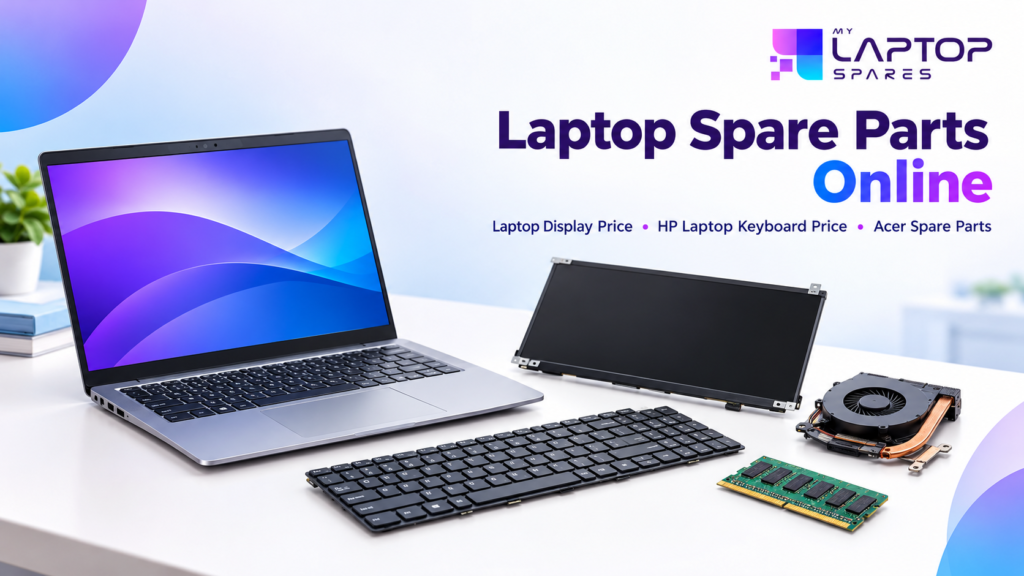
A cracked screen, a keyboard with dead keys, or a charger that has stopped working doesn’t always mean you need a new laptop. Most of the time, replacing one faulty part brings the device back to life for a fraction of the cost of a new one. The real challenge is finding the right part at a fair price without running from shop to shop.
This guide explains what to check before you buy, what affects the cost of screens and keyboards, and how to choose the right part for HP and Acer laptops.
Why Buying Parts Online Makes Sense
Today, students, office users and repair technicians all prefer ordering parts from the comfort of their home or shop. The reasons are simple:
- More choice: One store can list parts for HP, Dell, Acer, Lenovo, Asus and more.
- Easy comparison: You can check specifications, compatibility and prices in a few minutes.
- Delivery to your door: No need to travel to a repair market, wherever you live in India.
- Clear details: Good sellers mention the model number, part number and condition of every item.
The only real risk is ordering the wrong part. A few simple checks, covered below, remove that risk.
What Decides the Laptop Display Price?
The screen is often the costliest part to replace, so it helps to know why the laptop display price differs from one model to another.
Size: Common sizes are 13.3″, 14″, 15.6″ and 17.3″. Larger panels usually cost more.
Resolution: A basic HD panel is cheaper than Full HD, and QHD or 4K panels cost even more.
Panel type: IPS panels give better colours and wider viewing angles than basic TN panels, so they come at a higher price.
Connector and thickness: Displays come with different connectors (30-pin or 40-pin) and thicknesses (standard or slim). If these don’t match your laptop, the screen simply won’t fit.
Touch or non-touch: Touchscreens cost more than regular panels.
Tip: Never choose a screen by size alone. Note your laptop’s exact model number, then match the resolution, pin count and mounting brackets.
HP Laptop Keyboard Price: What to Check First
HP laptops are very popular in India, so keyboards for many series are easily available. The HP laptop keyboard price usually depends on:
- Model series: Pavilion, ProBook, EliteBook and 15s models each use different layouts and fittings.
- Backlight: Backlit keyboards cost more than standard ones.
- Frame and numeric pad: Some keyboards come with a frame, some without. Some include a number pad, some don’t.
- Original or compatible: Original keyboards cost more, while good compatible ones suit tighter budgets.
Before ordering, check the full model number on the sticker under your laptop. Two HP laptops that look alike can use different keyboards.
If only a few keys are failing, try cleaning around them first. If the problem continues, or liquid has spilled on the keyboard, replacement is the safer option.
Choosing the Right Acer Spare Parts
Acer laptops are widely used by students and home users, so people often look for Acer spare parts such as:
- Screens and display panels
- Keyboards
- Batteries and chargers
- Hinges, bottom covers and palm rests
Each Acer series, whether Aspire, Nitro, Swift or Extensa, has its own compatibility. The most reliable way to find the correct part is to use the model number or part number printed on your laptop’s label, rather than just the series name.
Also check whether the part is new or refurbished, and whether the seller offers a replacement if the item arrives faulty.
Simple Checks Before You Order Any Laptop Part
- Note your exact model number from the sticker or system information.
- Match the part number on your old part, if you can.
- Read the description carefully for size, connector and compatibility.
- Check the return or replacement policy so you are protected.
- Look for safe packaging, especially for screens, which break easily in transit.
- Ask before you pay if you are unsure. A good seller will help you confirm the fit.
Why Choose My Laptop Spares?
My Laptop Spares is made for people who want a simple way to find the right part. Whether you are a student repairing your own laptop, a shop owner restocking, or a technician looking for a specific item, you can browse by brand and category, from screens and keyboards to batteries and adapters.
What you can expect:
- Parts for popular brands such as HP, Dell, Acer, Lenovo and Asus
- Clear product details to help you match the right model
- Guidance if you are unsure about compatibility
- Delivery across India
If you are not sure which part suits your laptop, share your model number with the team and they will help you before you buy.
Final Thoughts
You don’t always need a new laptop. Often, one new screen, keyboard or charger is enough to make your device work like new. Know what affects the cost, match the part to your exact model, and buy from a trusted store. That way you save both money and time when buying laptop spare parts online from My Laptop Spares.
Frequently Asked Questions (FAQs)
Q1. Is it safe to buy laptop parts online?
Yes, if you buy from a trusted seller. Always check product details, compatibility and the return or replacement policy before placing your order.
Q2. Why do laptop screen prices vary so much?
The cost depends on screen size, resolution, panel type (IPS or TN), connector type and whether it is a touchscreen. A Full HD IPS panel usually costs more than a basic HD one.
Q3. How do I know which HP keyboard fits my laptop?
Check the full model number on the sticker under your laptop or in the system information, then match it with the keyboard’s listed compatibility.
Q4. Can I find parts for older Acer laptops?
In many cases, yes. Screens, keyboards, batteries and chargers are often available for older models. Search using your model or part number.
Q5. Can I replace a laptop part myself?
Keyboards, batteries and RAM are fairly easy to replace at home. Screens and motherboard-related parts are best handled by a trained technician to avoid further damage.