Businesses need an easy way to collect payments from customers. Some customers visit a physical store, while others place orders online. Service businesses may also take payments over the phone or at a customer’s location.
Handling all these payments can become harder when each payment method uses a separate process. Employees may have to check different systems, enter information more than once, or search for transaction details when a customer needs help.
A payment system that supports different types of transactions can make this work easier. card pointe provides tools for businesses that need to accept and manage payments in different ways. Depending on the setup, businesses can use it for in-person payments, online transactions, mobile payments, and other payment tasks.
This article explains how CardPointe can help make online and in-person payments easier to manage.
What Is CardPointe?
CardPointe is a payment platform that gives businesses tools to accept and manage customer payments. Its features can support both card-present and card-not-present transactions.
Businesses can use the platform for tasks such as:
- Accepting in-person card payments
- Processing online payments
- Taking payments through a virtual terminal
- Managing mobile payments
- Reviewing transaction records
- Processing refunds
- Creating customer profiles
- Checking payment activity
The exact features available can depend on the payment setup and services being used.
Having several payment tools connected to one platform can make everyday payment work easier to organize.
Why Businesses Need Flexible Payment Options
Customers do not all pay in the same way.
Someone visiting a store may want to tap a card at the checkout. Another customer may prefer to order online and pay from home. A service business may need to collect payment while working at a customer’s location.
Businesses need payment options that fit these different situations.
Using separate systems for every payment type can create extra work. Employees may need to learn different processes and check different records.
A payment platform that supports several payment methods can give businesses a more consistent way to handle transactions.
How In-Person Payments Work
In-person payments take place when the customer is physically present at the business.
A customer may visit a store, restaurant, office, or service location and pay for a product or service using a card.
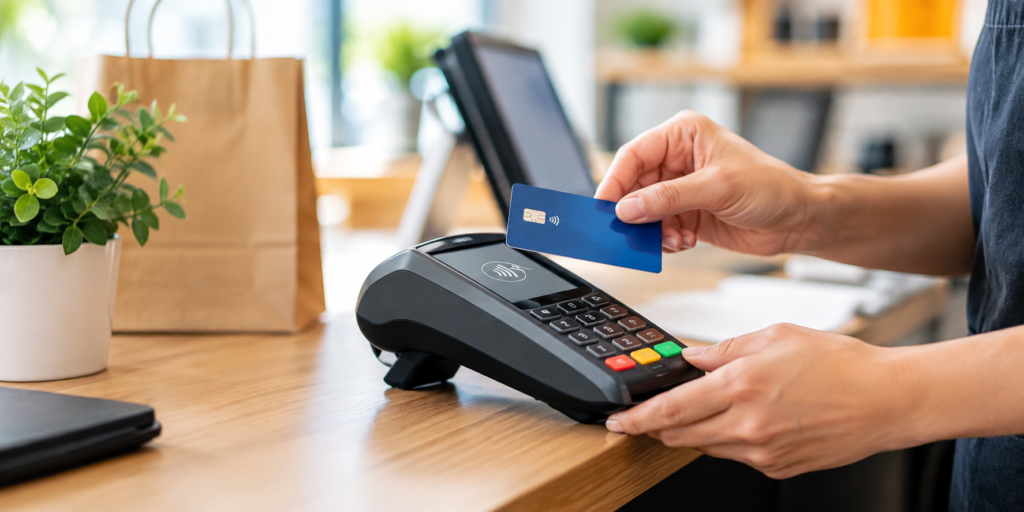
Depending on the equipment being used, CardPointe can support card payments through a payment terminal. Supported payment methods can include inserted chip cards, swiped cards, and contactless payments.
A basic payment process may look like this:
- Enter the sale amount.
- Confirm the amount.
- Ask the customer to use the payment terminal.
- Let the customer insert, swipe, or tap their card.
- Wait for the payment to be approved.
- Complete the transaction.
- Provide a receipt if needed.
Having a clear process can make checkout easier for both employees and customers.
Making Checkout Easier
A busy checkout area can become difficult to manage when employees have to use several different tools.
A payment terminal can give employees one clear place to handle the card payment after the sale has been entered.
The customer can complete the payment directly through the terminal, while the employee can continue with the transaction.
This can be especially useful for businesses that handle many payments throughout the day.
A simple checkout process also makes it easier to train new employees.
Supporting Contactless Payments
Contactless payments allow customers to tap a supported card or mobile device on a payment terminal.
Depending on the equipment and setup, CardPointe supports contactless payment options. Its integrated terminal solutions support NFC payments, which can allow customers to complete payments by tapping a compatible card or device.
Contactless payments can be useful when a business wants to keep the checkout process moving.
Customers do not always need to insert or swipe their cards. They can simply tap when the terminal is ready.
Taking Payments Online
Online payments are important for businesses that sell products or services through the internet.
Customers need a way to enter their payment details and complete a purchase without visiting the business.
CardPointe offers an online hosted payment page that can be used to collect payment information during an online purchase. The payment page can also be customized to fit the business’s checkout experience.
This gives businesses another way to accept payments from customers who are not physically present.
Making Online Checkout Simple
Customers usually want an online checkout that is easy to understand.
If a payment page is confusing or has too many steps, customers may have trouble completing their purchase.
Businesses should make sure the checkout clearly shows:
- What the customer is buying
- The total amount
- Available payment options
- Where payment details should be entered
- What happens after payment
A simple checkout can make the buying process easier for customers.
The exact online setup will depend on the business and the payment tools it uses.
Taking Payments Over the Phone
Not every customer wants to pay online or visit a physical location.
Some customers may place an order over the phone and want to provide their payment information during the call.
A CardPointe virtual terminal can allow businesses to manually enter payment details through a browser-based system. This can be useful for phone orders and other situations where the physical card is not present.
This gives businesses another option for collecting payments without requiring the customer to visit the business.
Accepting Payments While On the Go
Some businesses do not take all their payments at one fixed location.
For example, a service provider may work at customer locations, attend events, or move between different areas during the day.
CardPointe Mobile can allow businesses to accept and manage payments from a mobile device. Compatible payment readers can support card-present payments, including chip and contactless transactions, depending on the device and setup.
This can be useful for businesses that need more freedom in where they take payments.
Keeping Payment Information Together
Businesses can receive many transactions each day. Keeping track of those payments is important.
A payment platform can give authorized users access to transaction information from one place.
Depending on the setup, users can review transaction history, payment details, and other information through the platform’s reporting tools.
This can make it easier to check payments without searching through several separate records.
Reviewing Transactions in Real Time
Being able to check payment information when needed can be useful for daily business work.
CardPointe provides transaction and reporting tools that allow users to view payment activity and transaction details.
For example, a business may need to check whether a payment was completed or look up a previous transaction.
Having this information available can make it easier to answer customer questions and keep business records organized.
Making Refunds Easier
Refunds are part of normal business operations.
A customer may return a product, cancel a service, or need a payment returned for another reason.
CardPointe provides tools that allow authorized users to process refunds and manage transactions through its platform.
Having the original transaction available can make it easier to find the payment and follow the correct refund process.
Businesses should make sure employees understand who is allowed to issue refunds and how the process works.
Managing Customer Information
Some businesses have customers who make purchases more than once.
Keeping customer information organized can make repeat payments easier to manage. Depending on the setup, CardPointe can support customer profiles and stored payment information using tokenization.
This can be useful for businesses that handle repeat customers or regular payments.
Businesses should always make sure their customer information is handled according to the required security rules.
Supporting Recurring Payments
Some businesses collect payments on a regular schedule.
For example, a business may charge customers monthly for an ongoing service.
Depending on the account and setup, CardPointe provides tools for billing plans and recurring payments.
This can reduce the need to manually enter the same payment information every time a scheduled payment is due.
Before using recurring payments, businesses should clearly explain the payment schedule and terms to customers.
Reducing Repeated Work
Entering the same information into several systems can take extra time.
It can also increase the chance of simple mistakes.
A connected payment setup can reduce some of this repeated work by keeping payment activity within the same platform.
For example, employees may be able to process a payment, review the transaction, and manage a refund through related CardPointe tools.
This can make routine payment tasks easier to handle.
Helping Employees Work More Easily
Employees need to understand the payment process they use every day.
A clear system can make training easier because staff can learn the basic steps for accepting and managing payments.
Employees should know how to:
- Start a transaction
- Enter the payment amount
- Use the payment terminal
- Check payment status
- Provide a receipt
- Find a previous transaction
- Process refunds when allowed
- Handle basic payment errors
- Ask for help when needed
Good training can help reduce mistakes and make customer service smoother.
Keeping Payments Secure
Payment information needs to be handled carefully.
CardPointe’s platform uses encryption and tokenization as part of its payment security approach. Its retail terminal also uses point-to-point encryption for supported transactions.
Businesses should still follow good security practices.
This includes keeping account passwords private, limiting access to authorized employees, checking payment equipment regularly, and following the security instructions for the payment system.
Employees should also know what to do if they notice anything unusual with a payment device or account.
Choosing the Right Setup
Every business has different payment needs.
Before choosing a payment setup, think about how customers currently pay and where transactions take place.
Consider questions such as:
- Do most customers pay in person?
- Do you also sell online?
- Do you take payments over the phone?
- Do employees need to take payments away from the main location?
- How many transactions do you process?
- Do you need recurring payments?
- Do you need detailed transaction reports?
- How many employees need access?
The answers can help you decide which payment tools make sense for your business.
Make Your Payment Process Easier
The main goal of a payment system should be to make everyday transactions easier to manage.
For in-person sales, this may mean having a simple terminal that customers can use quickly.
For online sales, it may mean providing a clear payment page.
For phone orders, a virtual terminal can give employees another way to enter payment details.
For mobile businesses, a mobile payment setup can allow employees to accept payments away from the main location.
Using the right tools for each situation can make the overall payment process easier for employees and customers.
Final Thoughts
Managing payments becomes easier when a business has a clear process for different types of transactions. Online purchases, in-person sales, phone orders, and mobile payments all have different needs, but they do not have to be difficult to manage.
card pointe can give businesses tools for handling different payment types, reviewing transactions, processing refunds, and managing payment information. The available features depend on the setup used by the business.
Before choosing a payment setup, look at how your customers pay and how your employees handle transactions each day. A system that fits your normal workflow can make payment tasks easier to manage.
For payment solutions and business support, visit Florida Payments.