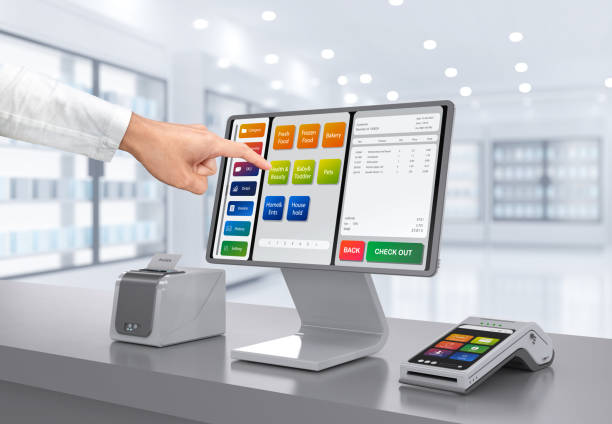
3d rendering touch screen point of sale system or cash register machine on desk with finger point
In today’s fast-paced business world, managing sales and inventory efficiently is essential for success. Many small and medium businesses struggle with keeping track of stock, understanding sales trends, and serving customers quickly. A reliable point-of-sale system can help solve these problems. One tool that has become very popular is the Clover Station. It is more than just a register—it is a complete system that can help you manage your business from one place.
Clover Station combines both hardware and software to make running your business easier. It allows you to process payments, track sales, manage inventory, and even keep records of customer activity. Businesses that only use it for simple sales transactions often miss its full potential. When used correctly, Clover Station can save time, reduce errors, and give you insights that help grow your business. Learning how to maximize its features can make a big difference in improving sales, managing stock, and keeping your operations smooth.
Setting Up Clover Station for Your Business
The first step to getting the most out of your Clover Station is setting it up properly. Take the time to organize your products in the system, assign accurate prices, and set the correct tax rates. Properly categorizing items makes it easier for employees to find products quickly, which speeds up the checkout process. Setting up discounts and promotions in advance also ensures transactions are smooth and avoids mistakes at the register.
A well-configured system also helps with reporting. If your products are organized and labeled correctly, Clover Station can provide accurate sales reports. These reports give a clear picture of what is selling, what is not, and when your busiest times occur. Taking the time to configure the system carefully will pay off in better decision-making and smoother daily operations.
Tracking Sales and Understanding Your Customers
One of the biggest advantages of using Clover Station is its ability to track sales in detail. The system provides reports showing which products sell the most, which days are busiest, and what your customers prefer to buy. By reviewing this information regularly, you can make smarter decisions. For example, a store owner can identify slow-selling items and plan promotions to increase sales. A restaurant owner can adjust the menu based on what is popular during different hours.
Clover Station also keeps track of customer information. This allows you to offer personalized experiences, like sending special offers to frequent buyers. You can use the data to build customer loyalty, which can lead to more repeat business. Customer insights also help with marketing efforts and allow you to make smarter inventory and sales decisions.
Managing Inventory Effectively
Inventory management can be one of the most challenging parts of running a business. Having too much stock ties up money and space, while running out of products can disappoint customers and lose sales. Clover Station makes inventory management much easier. Every sale automatically updates your stock in real time. You can also add new products, remove items, or change details easily.
The system allows you to track stock levels, set reorder alerts, and see which items are moving fast or slow. By connecting sales with inventory, you can plan better and avoid problems. For instance, if a product is selling quickly, you can reorder it before it runs out. If an item isn’t selling, you can run a promotion to move it faster. This saves money and helps maintain a healthy cash flow.
To learn more about available models and accessories for your clover station, you can check detailed options to fit your business needs.
Using Employee and Operational Features
Clover Station is also useful for managing employees. You can create profiles with different access levels, track working hours, and monitor performance. This helps reduce errors, improves accountability, and ensures employees are doing their job efficiently. For example, managers can control who can give discounts or process refunds, preventing mistakes and possible misuse.
Time-tracking and performance reports allow you to see which employees are most productive and where training might be needed. By managing employees through the system, you save time and improve your business operations.
Integrations and Additional Tools
One of the best features of Clover Station is its ability to work with other tools. You can connect it to accounting software, marketing platforms, or loyalty programs. Integrations like these reduce manual work, improve accuracy, and help you make smarter business decisions.
For example, linking to marketing tools allows you to send promotions based on customer purchase history. Connecting to accounting software ensures all sales and expenses are automatically recorded. These integrations make the Clover Station a flexible tool that can grow as your business grows.
Enhancing Customer Experience
Clover Station also helps improve customer satisfaction. You can store customer details, track their purchase history, and even set up loyalty programs. Personalized offers and rewards can encourage customers to come back more often. Receipts can be customized to include messages, promotions, or information about upcoming events. Every transaction becomes a chance to connect with your customers and increase loyalty.
Mobile and cloud features also add convenience. Business owners can access reports and inventory data from anywhere, making it easier to make decisions while away from the store. Staff can process sales using mobile devices, which helps during busy times or at events.
Security and Support
Security is important for any business using a POS system. Clover Station follows strict standards to protect payment information. You can also control which employees have access to sensitive functions, reducing risks of misuse. Cloud backups ensure that data is safe, even if the device fails.
Training is another key factor. While Clover Station is easy to use, proper training ensures employees use it efficiently. Online resources and tutorials are available to help you and your staff. Keeping everyone trained, especially when new updates or features are introduced, ensures that you always get the most value from your system.
Benefits of Maximizing Clover Station
Businesses that use Clover Station fully often see better results in both sales and inventory management. Accurate reporting helps you understand which products perform well and which need adjustments. Real-time inventory updates prevent overstock or stockouts, saving money and increasing sales. Employee management tools improve productivity and accountability. Customer engagement features increase loyalty and repeat business.
Using Clover Station also helps you make better decisions. Sales and inventory data allow you to forecast demand, plan for busy periods, and evaluate marketing efforts. For example, you can adjust inventory for holidays based on past trends or determine which products to promote to increase revenue.
Conclusion
Clover Station is a powerful tool for businesses that want to improve sales and inventory management. By setting up the system properly, tracking sales, managing inventory, and using its features for employee management and customer engagement, you can run your business more efficiently. Its integrations and mobile capabilities make it flexible and scalable. Proper use of Clover Station helps businesses save time, reduce errors, increase customer satisfaction, and make smarter decisions that lead to growth.
By taking the time to learn and implement its full capabilities, Clover Station can become an essential part of your business strategy, helping you stay competitive and successful in today’s market.